
Media and video
Choose the right media section and understand slides, source priority, and Auto-scroll gallery.
Use these answers to choose a media surface before working through its detailed settings.
Which media section should I choose?
| Goal | Start with |
|---|---|
| One opening image or a small sequence of hero slides | Media hero or slideshow |
| One focused hosted or external video | Video |
| Independent image, video, and text tiles in one composition | Flexible media grid |
| Up to five paired media-and-copy stories with a selectable presentation | Multiple images with text |
| Two large linked media panels | Split media banners |
| An interactive comparison between two images | Before and after |
| An editorial grid whose depth can respond to scrolling | Parallax waterfall |
| A continuously moving row of social or campaign cards | Auto-scroll gallery |
Choose the simplest section that communicates the story. A more complex grid should solve a real content or comparison need rather than compensate for unsuitable source media.
Multiple images with text offers Gallery, Page turn, and Blur reveal for the same Item content. For two moving image columns with supporting copy, use the separate Scrolling columns section.
Is a static media hero different from a slideshow?
They are two uses of the same Media hero section. One media block creates a static hero. Adding more media blocks creates the slideshow path, and autoplay becomes meaningful only when there is more than one slide.
Use a single slide for one durable campaign message. Use several only when each slide has a distinct purpose and the first slide remains understandable before any movement begins. See Media hero or slideshow for the block types and limits.
Why does an empty media field show an illustration?
Strata uses neutral illustrations to keep image and video layouts understandable while you set up a section. They can appear in empty banners, cards, forms, product or collection areas, and other media surfaces.
These illustrations are setup placeholders, not store content. Replace them with the intended image or video before publishing, or remove the unused block or section. An empty video surface can include a line-art play motif; it is decorative and is not a clickable Play control.
How does Video choose a source?
The Video section uses Shopify-hosted media when either a Desktop video or Mobile video is selected. An External video URL is used only when no hosted video is selected.
- When Mobile video is blank, the Desktop video is reused on mobile.
- When Mobile video is the only hosted source, it is used at every size.
- When Poster image is blank, the hosted video's preview image is used when available.
This priority prevents an external provider from unexpectedly replacing an uploaded source.
How do I control Auto-scroll gallery?
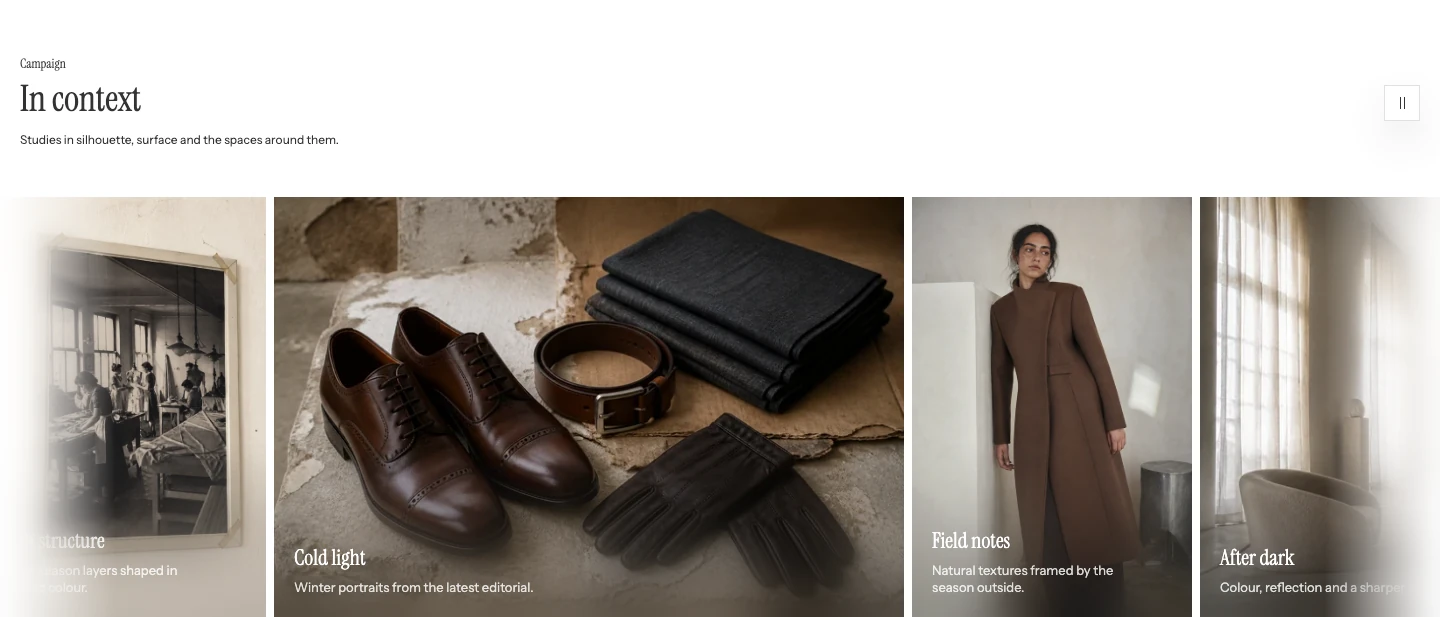
Auto-scroll gallery with its pause button.
Use Auto-scroll to enable continuous movement. Scroll speed and Pause on hover appear when it is on. Show arrow controls is a separate setting. See Auto-scroll gallery for the complete settings.
If the result differs
Confirm the selected media source, mobile fallback, poster, playback controls, and reduced-motion state before changing the section type. Use the canonical guide for settings and Troubleshooting for a reproducible playback or provider issue.