
Age verifier places an age-confirmation screen in front of the storefront. Use it only when the products, markets, or store policy genuinely require age-gated access.
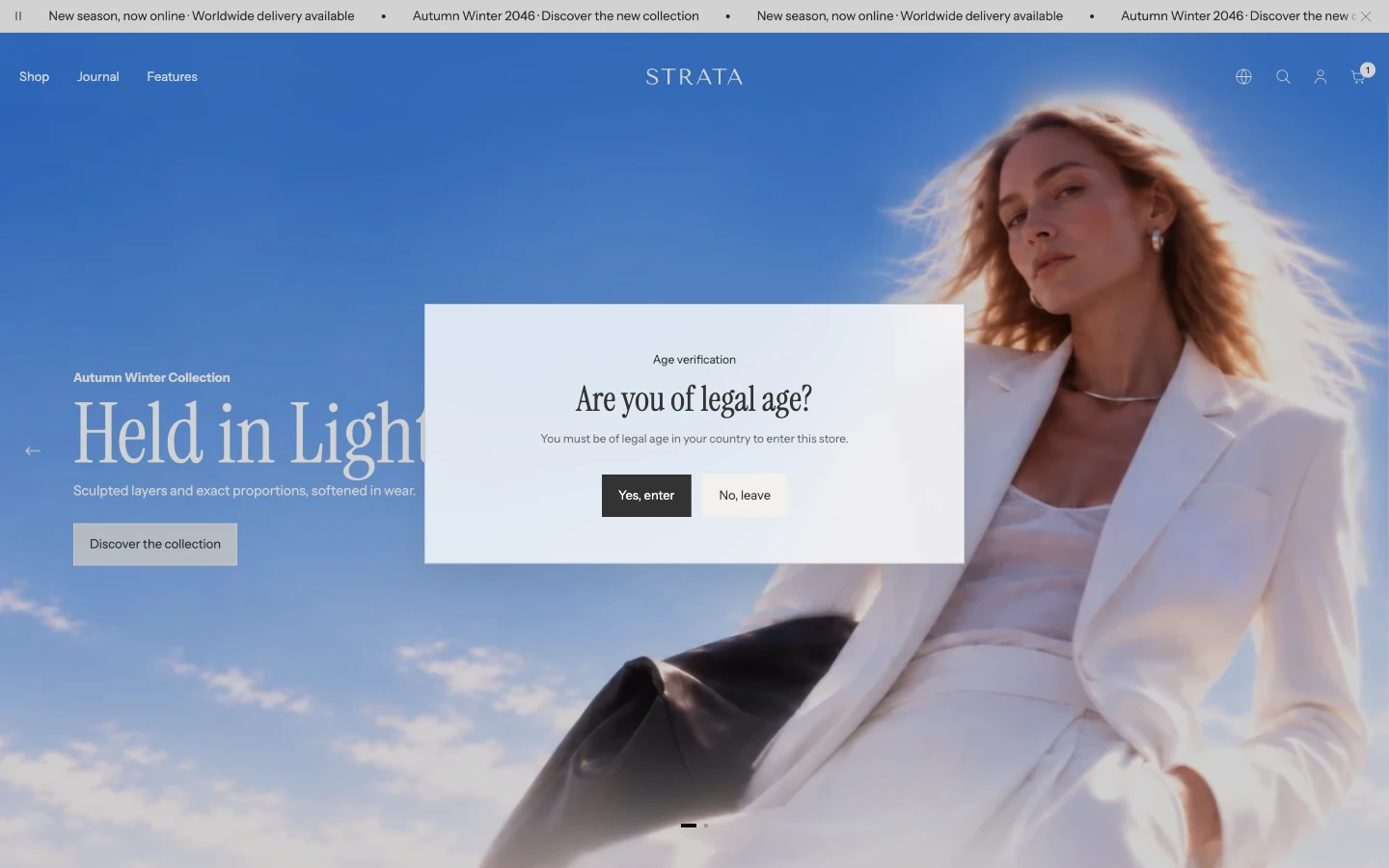
Age verifier on desktop. The page behind is blurred until the visitor answers.
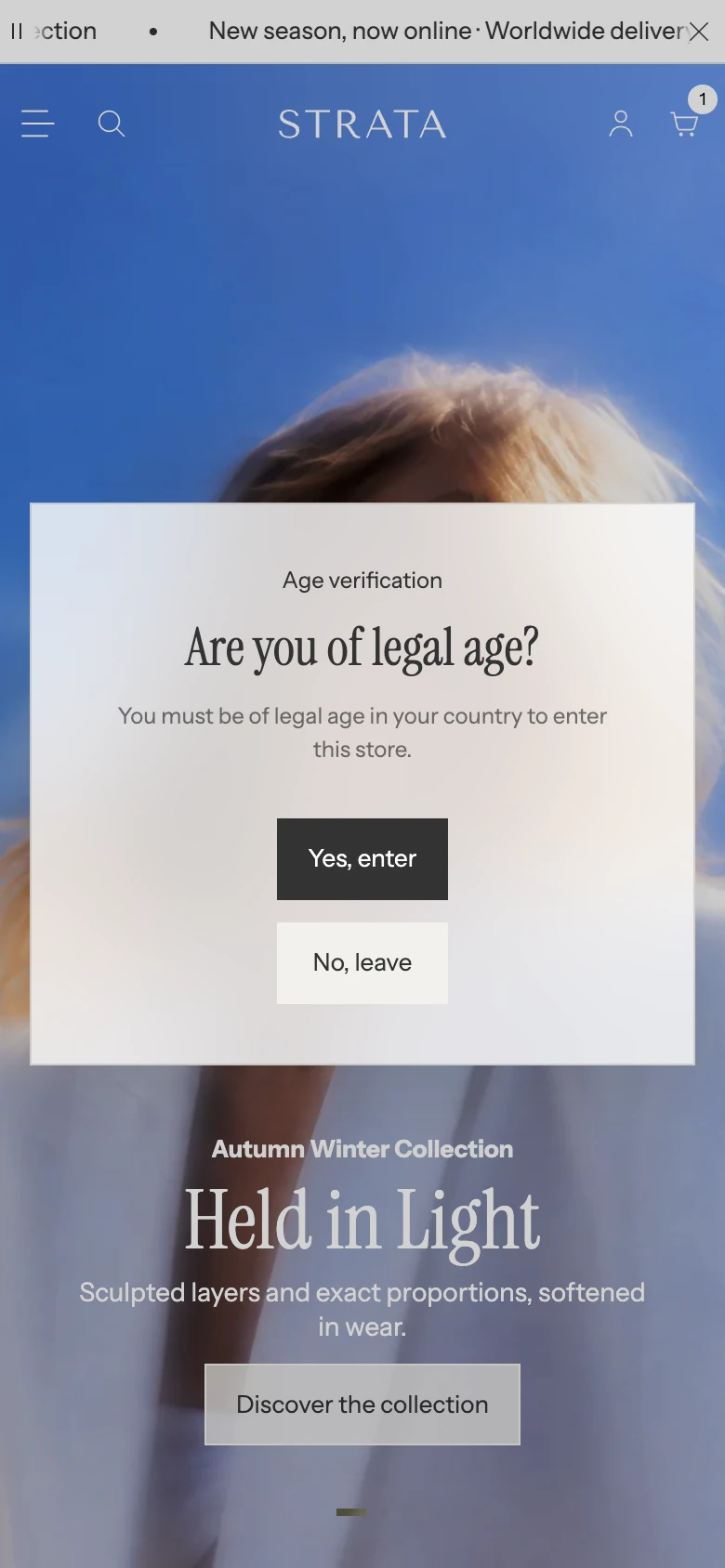
Age verifier on mobile.
Add Age verifier
A new Strata install already includes Age verifier in the Overlay group, hidden. In Shopify’s Theme Editor, select it in the Overlay group and choose Show section (the eye icon) to turn it on. If it was removed, select Add section in the Overlay group and choose Age verifier. Only one Age verifier can be added.
Content
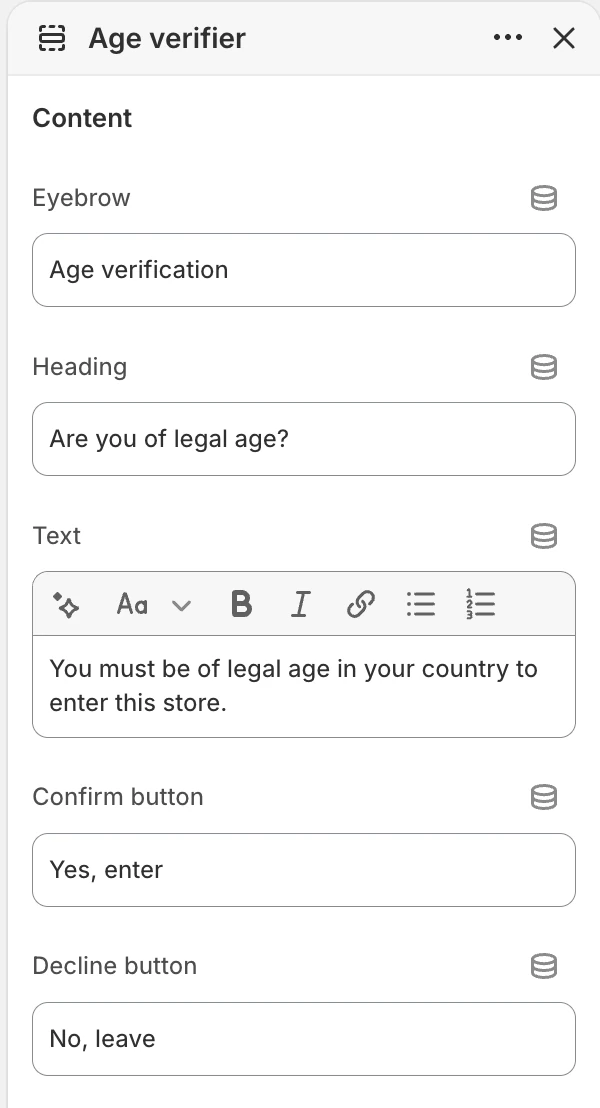
The Content group in the Theme Editor. The values shown are examples, not defaults.
| Setting | What it controls |
|---|---|
| Eyebrow | Short context line above the confirmation question. |
| Heading | Main age-confirmation question. |
| Text | Explanation of the requirement. Use wording that accurately reflects the store’s products and markets. |
| Confirm button | Action that lets an eligible visitor enter. |
| Decline button | Action for a visitor who cannot or does not want to confirm. |
Keep both actions explicit. Do not use vague labels that could make a decline look like consent.
Declined message
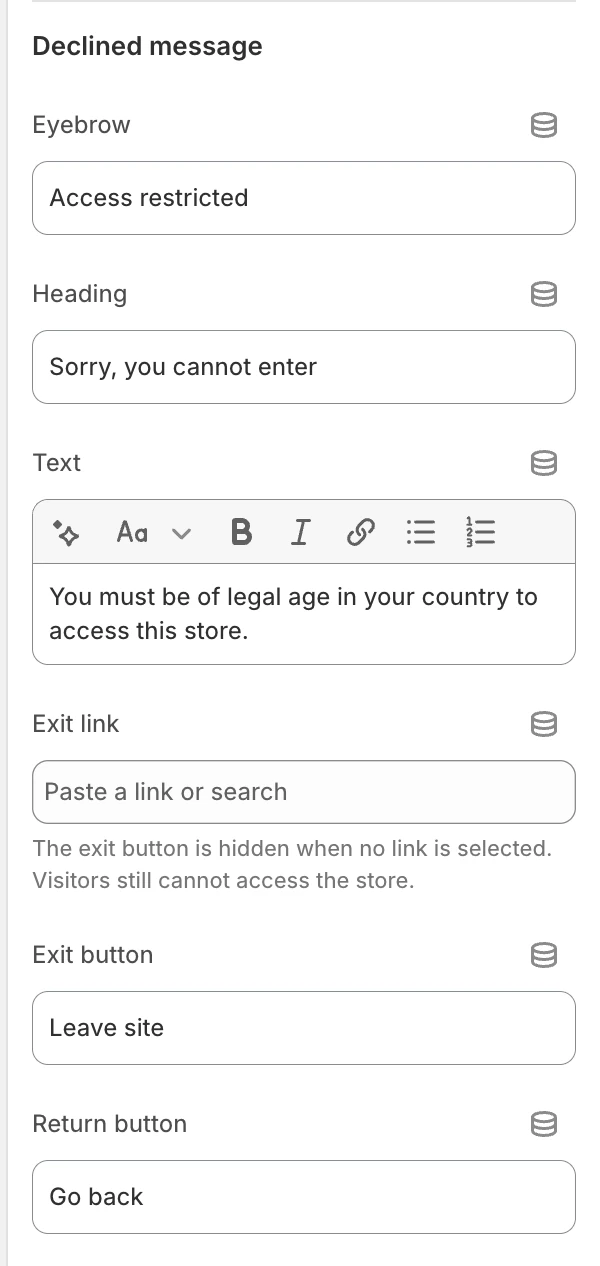
The Declined message group in the Theme Editor.
After a visitor declines, Age verifier shows a restricted-access message.
| Setting | What it controls |
|---|---|
| Eyebrow | Short context line for the restricted state. |
| Heading | Main declined message. |
| Text | Explanation of why access remains restricted. |
| Exit link | Optional destination for leaving the storefront. When blank, the exit button is hidden and access remains restricted. |
| Exit button | Label for the exit-link action. |
| Return button | Returns to the confirmation question so the visitor can reconsider the choice. |
Returning to the question does not change eligibility. Keep the denied message respectful and give visitors a useful exit destination when appropriate.
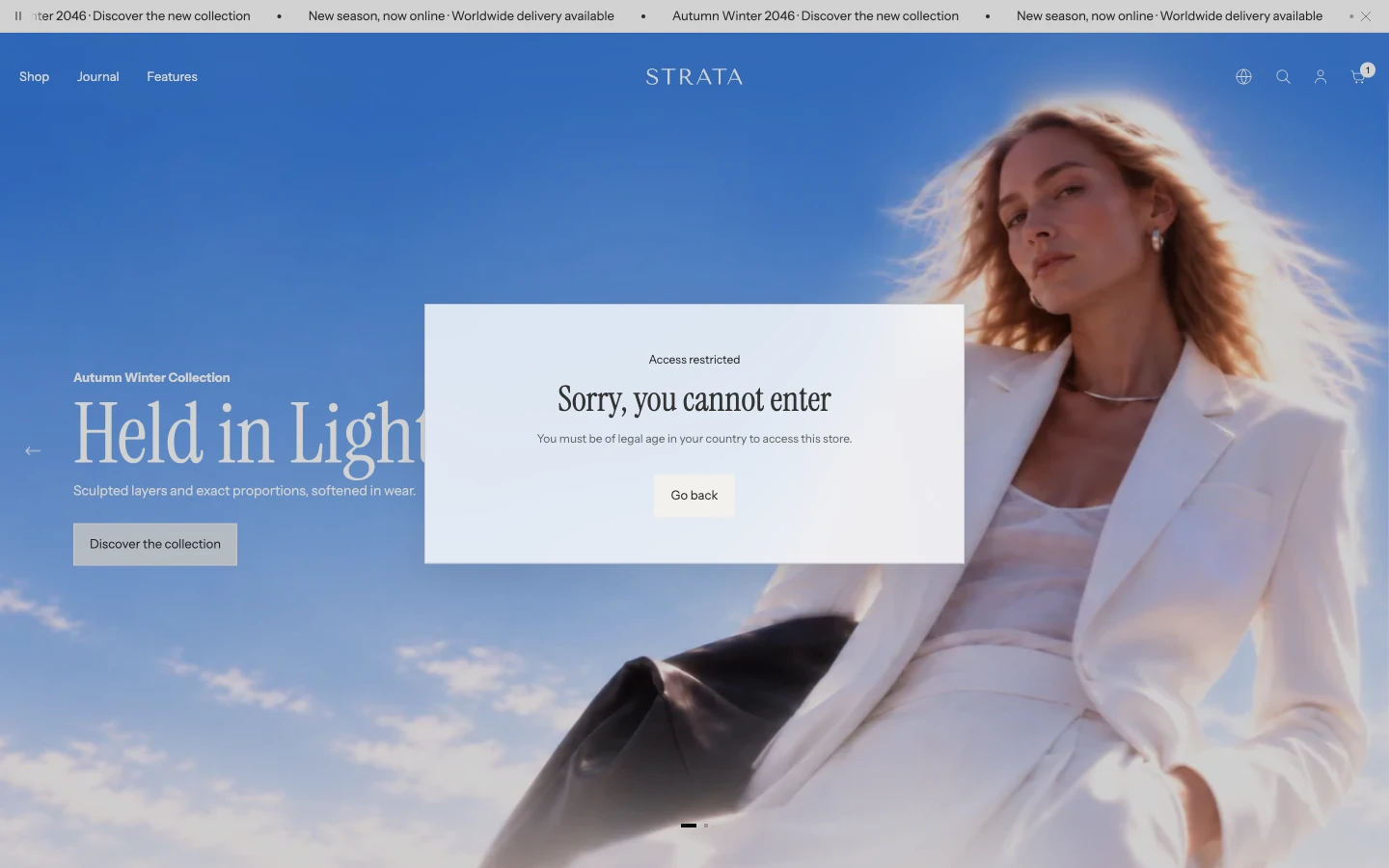
After No, leave: the Declined message with its Return button.
Layout
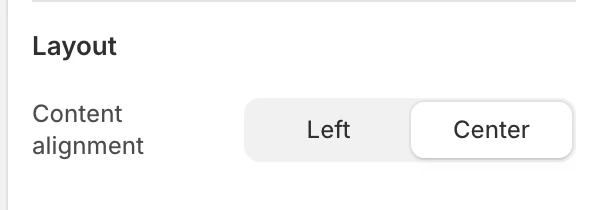
The Layout group in the Theme Editor.
Content alignment
Choose Left or Center for the verifier content. Review long policy text on desktop and mobile before publishing.
Features
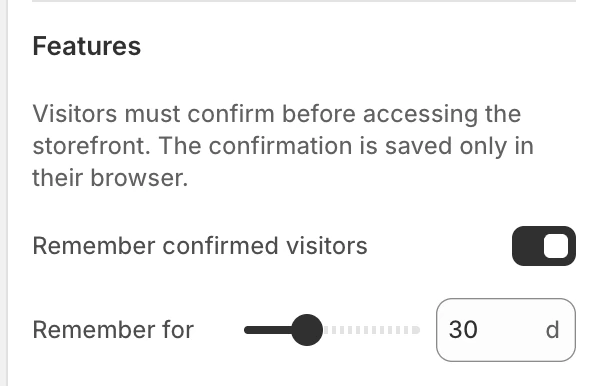
The Features group in the Theme Editor.
Remember confirmed visitors
When enabled, a visitor who confirms can return without answering again during the selected period. The confirmation is remembered only in that browser; it is not identity verification, a customer-account record, or proof of legal age.
Remember for
Sets the remembered period from 1–90 days in 1-day steps. The default is 30 days. This control is available when Remember confirmed visitors is enabled.
With remembering off, the confirmation is not stored at all, so the question appears again on every page the visitor opens. Turn it off only when the store's policy requires that. Otherwise, choose a period that matches the store’s policy and avoid interrupting returning visitors more often than necessary.
Behavior to review
| Visitor state | What happens |
|---|---|
| First visit with no remembered confirmation | The confirmation question appears before storefront access. |
| Visitor confirms | The storefront opens. The choice is remembered when Remember confirmed visitors is enabled. |
| Visitor declines | The declined message appears and storefront access remains restricted. |
| Exit link is blank | The exit button is hidden; the visitor can return to the question but cannot enter without confirming. |
| Remembering is off | The question appears again on every page load, including moving between pages of the store. |
Test confirm, decline, return, and exit actions with keyboard and touch input. Also review the experience in a private browser window and after the remembered period has expired.
Policy and accessibility
- Confirm that the age policy and wording are appropriate for every market where the store operates.
- Treat Age verifier as a visitor confirmation, not as legal identity verification.
- Keep the question and both choices understandable without relying on color or motion.
- Do not place essential policy information only in an image.
- Check focus order, visible focus, screen-reader labels, and reduced-motion behavior before publishing.