
Templates
Build consistent Shopify pages with Strata templates.
Templates control which sections appear for a type of Shopify resource, such as a product, collection, article, or page. Resources that share a template share its section structure.
Choose and assign a template
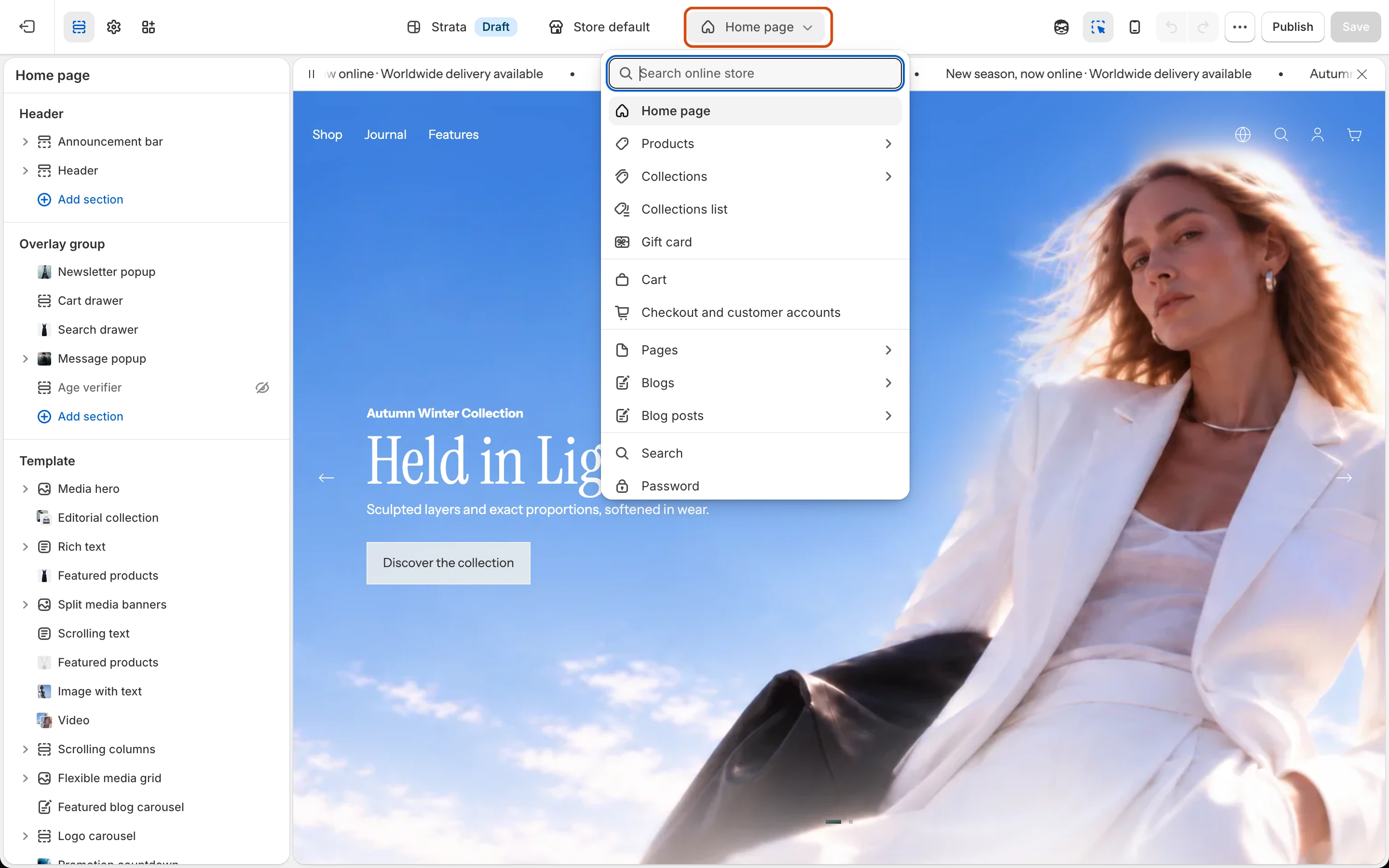
- In the Theme Editor, use the page selector to open the resource type.
- Edit an existing template when every assigned resource should receive the change.
- Create a new template when one resource needs a different section structure.
- Assign that template from the matching product, collection, article, or page in Shopify admin.
Check before publishing
- Confirm the correct resources use the intended template.
- Test templates with empty, short, and long content.
- Check product variants, collection filters, blog navigation, search, cart, password, and 404 states where applicable.
The complete Strata template inventory will be published after its launch templates are accepted.