
Custom liquid is an escape hatch for content that Strata's standard sections do not provide. Use it only when the requirement is understood and maintained by someone comfortable with Shopify Liquid and storefront markup.

A Custom liquid example: one line of HTML with a Liquid money filter.
Add Custom liquid
In Shopify's Theme Editor, add Custom liquid to a compatible page template or open an existing section. It is not an Overlay-group feature.
Content
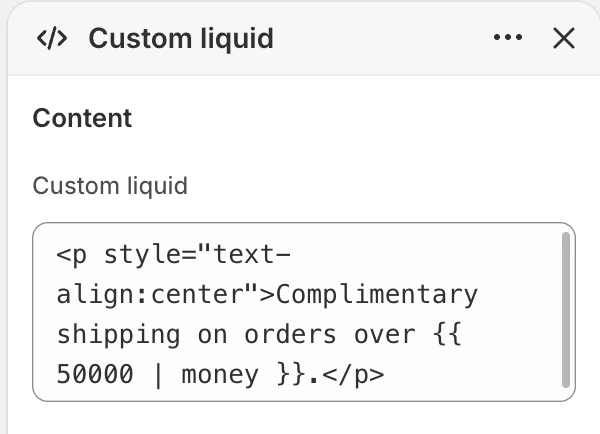
The Content group in the Theme Editor. The values shown are examples, not defaults.
| Setting | What it controls | Default |
|---|---|---|
| Custom liquid | Liquid and markup authored for this section. | No default. |
On the storefront, an empty field produces no section content or spacing. The Theme Editor keeps the section visible and shows Add Liquid code to display content so you can find and configure it. Adding content restores the normal section output. Keep the snippet focused on the merchant outcome and prefer a dedicated Strata section when it already provides the required control.
Layout
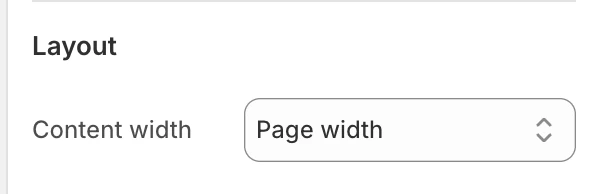
The Layout group in the Theme Editor.
| Setting | What it controls | Options or default |
|---|---|---|
| Content width | Sets the width of the authored content container. | Narrow, Page width, or Full width. Default: Page width. |
Full width changes the content container treatment; it does not make arbitrary child markup responsive. The snippet remains responsible for its own internal layout.
Colors
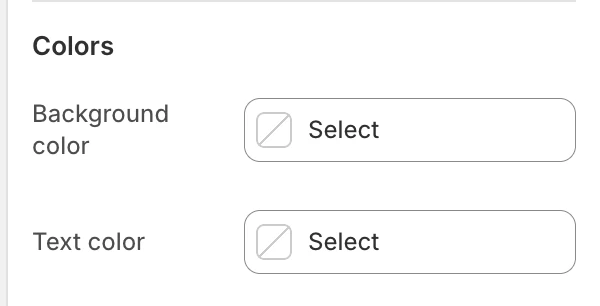
The Colors group in the Theme Editor.
| Setting | What it controls | Default |
|---|---|---|
| Background color | The section surface behind the authored output. | Leave blank to inherit Theme settings > Colors > General; selecting a color in this section overrides the inherited value. |
| Text color | The default text color for the authored output. | Leave blank to inherit Theme settings > Colors > General; selecting a color in this section overrides the inherited value. |
Authored Liquid or HTML can introduce its own colors; check the rendered output against the selected section colors.
Spacing
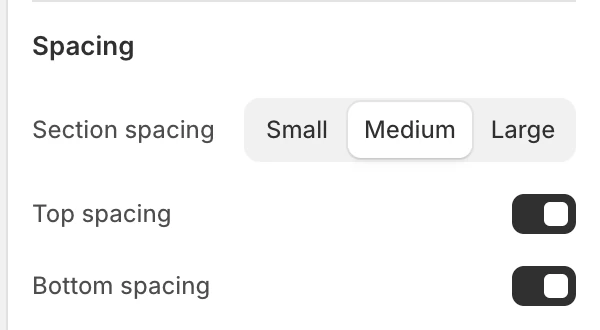
The Spacing group in the Theme Editor.
| Setting | What it controls | Options or default |
|---|---|---|
| Section spacing | Chooses the section's spacing scale. | Small, Medium, or Large. Default: Medium. |
| Top spacing | Adds or removes the section's top spacing. | Enabled by default. |
| Bottom spacing | Adds or removes the section's bottom spacing. | Enabled by default. |
Responsive and accessibility review
Strata does not automatically turn arbitrary Liquid/HTML into a responsive, accessible component. Before publishing, review:
- a real desktop and mobile viewport with the longest expected text;
- headings, landmarks, labels, keyboard focus, link purpose, and color contrast;
- images, embedded media, and any interactive controls;
- loading, consent, privacy, and performance implications of external resources.
Do not place passwords, private tokens, customer data, hard-coded preview URLs, or third-party credentials in the field. Treat pasted scripts and external embeds as code that needs its own review.
Common issues
| Symptom | Safe check |
|---|---|
| The content is too narrow or wide | Choose the matching Content width, then inspect the snippet's own layout rules. |
| Mobile content overflows | Test the snippet's children and media; the section cannot correct arbitrary fixed widths. |
| A control cannot be reached | Inspect the authored markup's labels, focus order, and keyboard behavior. |
| An embed is blank | Check its provider, consent requirements, allowed URL, and whether the current preview permits it. |
| The section appears empty in the Theme Editor | Add content in Custom liquid. The editor prompt is not shown on the storefront. |
| The section is absent from the storefront | An empty Custom liquid field intentionally produces no storefront section; if the field contains code, confirm its conditions have data to render. |